How to Register.
Easy Method:
1. Open Dimapurlibrary.com
2. Click Register
3. Under Sign-in/Register click on Facebook, google, twitter, etc.. which ever you want to register with.
4. You will be automatically directed to Facebook, google, twitter, etc.. fill in your details and click Log In.
5. Done !!! You will be automatically directed to your profile page in dimapurlibrary.com.
Second Method:
1. Open Dimapurlibrary.com
2. Click Register
3. Fill in the Username, Email Add., Password and Confirm Password and click Register.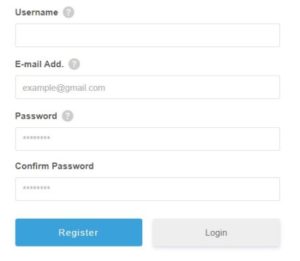
4. Check your email for activation link (Don’t forget to check Spam if not found in your Inbox) and click on the activation link received in your email.
5. Done you are now a registered member of dimapurlibrary.com.